![ICON - MAIN LOGO WHITE-2.png]](https://help.transactly.com/hs-fs/hubfs/ICON%20-%20MAIN%20LOGO%20WHITE-2.png?height=40&name=ICON%20-%20MAIN%20LOGO%20WHITE-2.png)
1. Navigate to the Team section of the transaction.
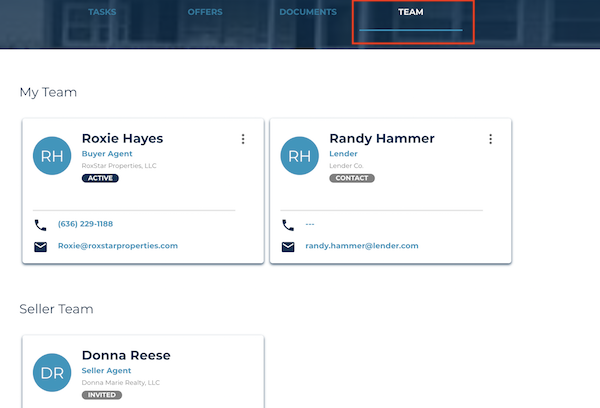
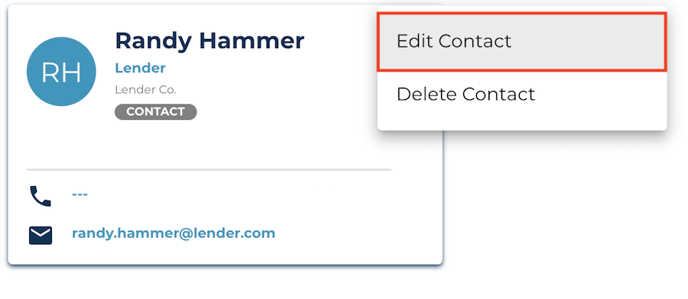
2. Identify the contact that needs to be updated, and select "Edit Contact" from the menu on the card.
You can only update contacts that you created.
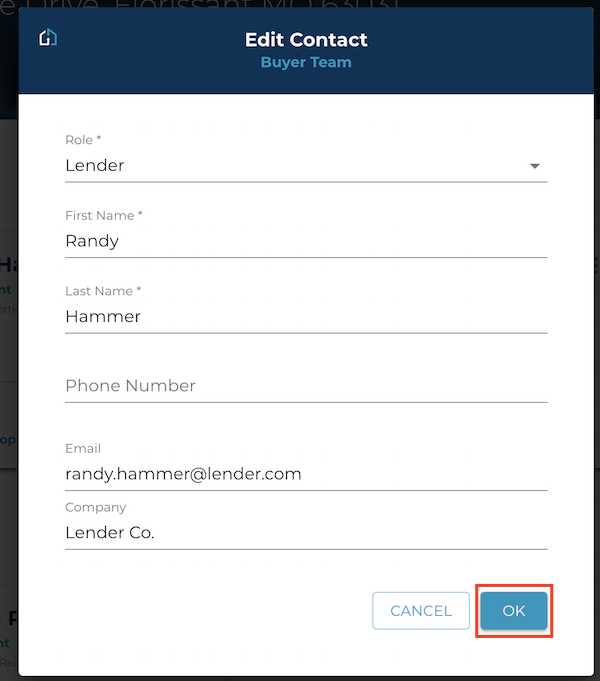
3. Make any changes to the contact's information and select "Ok".
Questions about editing contacts?
Reach out to us at Support@transactly.com or chat us in the bottom right