
Sign in through our admin area. If you do not have a login to the admin area, please talk to the manager of your department.
1. In the Admin Area
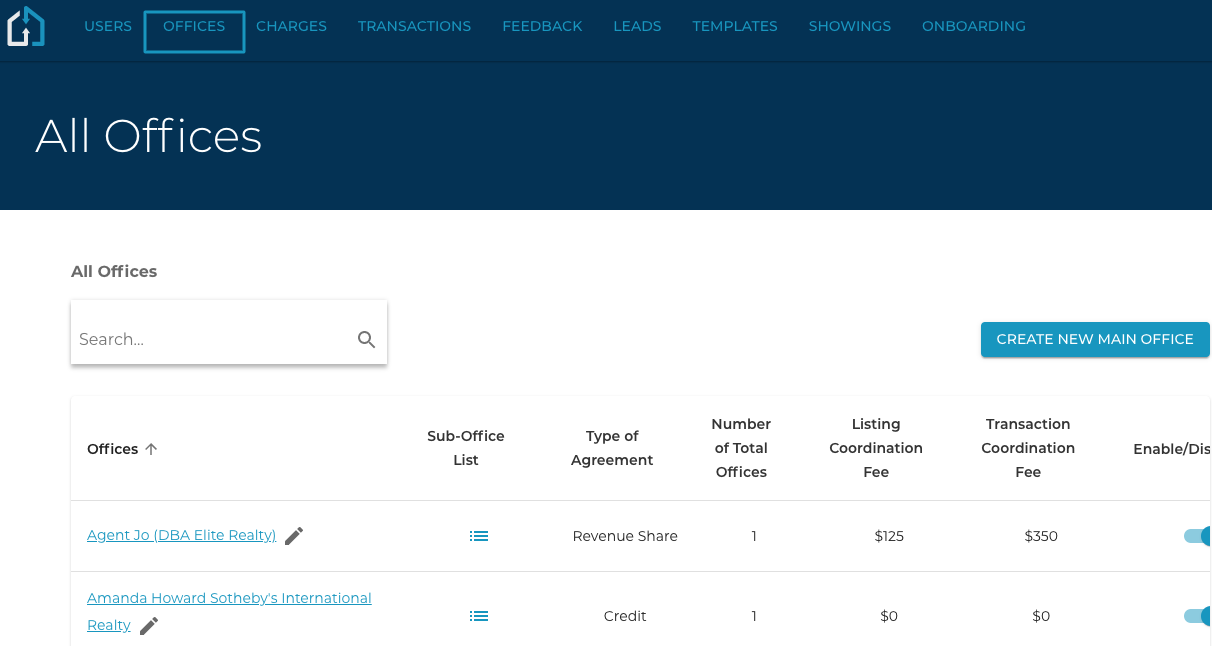
Click the Office Tab and click into the Office that you are wanting to add the Pricing Model to.
2. Within the Office
Choose the Office Pricing Tab and select the “Add new Pricing Model” button.
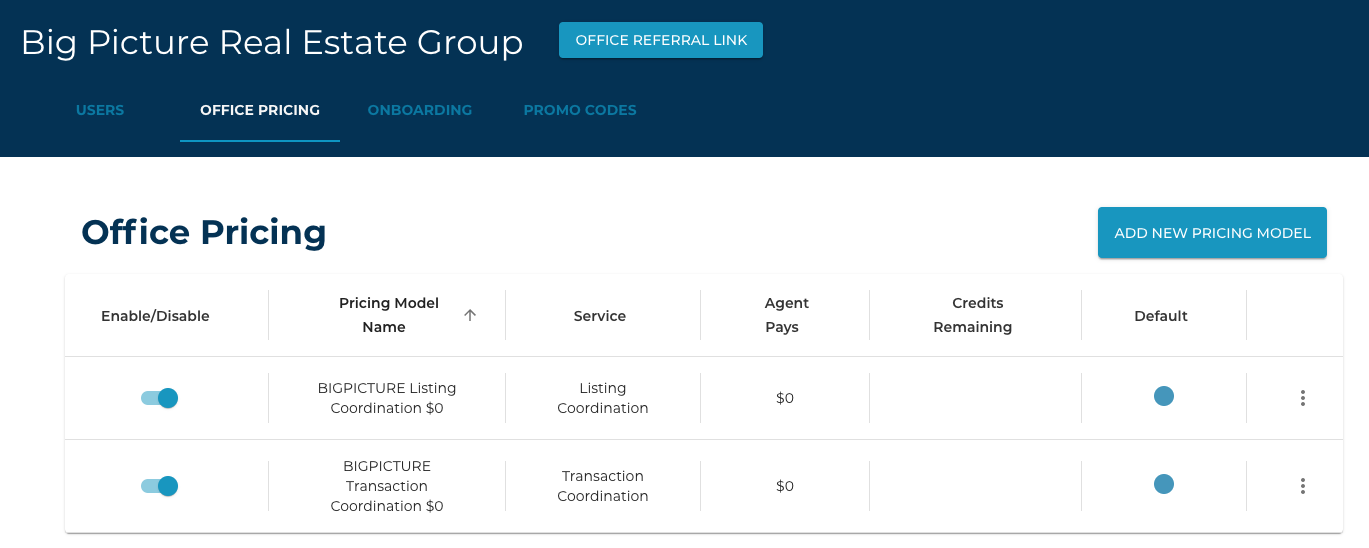
You will be prompted to select a service (listing or transaction coordination), the amount the agent is paying for that service (Agent Pays), and whether or not this Pricing Model uses Credits (Checkbox).
Once this is done you have created your pricing model and it should be displayed in the Office Pricing Tab.