
Sign in through our admin area. If you do not have a login to the admin area, please talk to the manager of your department.
1. From the Admin login
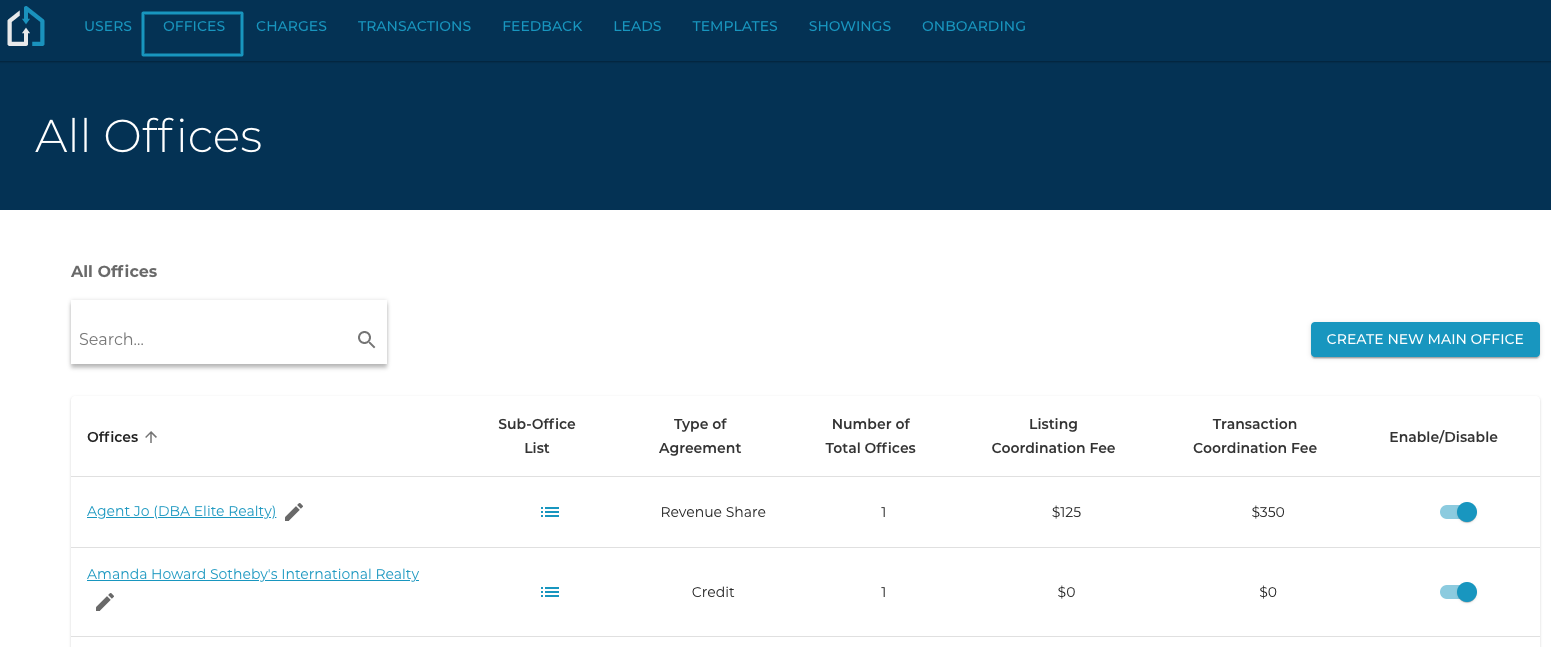
Click the Office Tab and click into the Office that you are wanting to add the Pricing Model to.
2. Within the Office
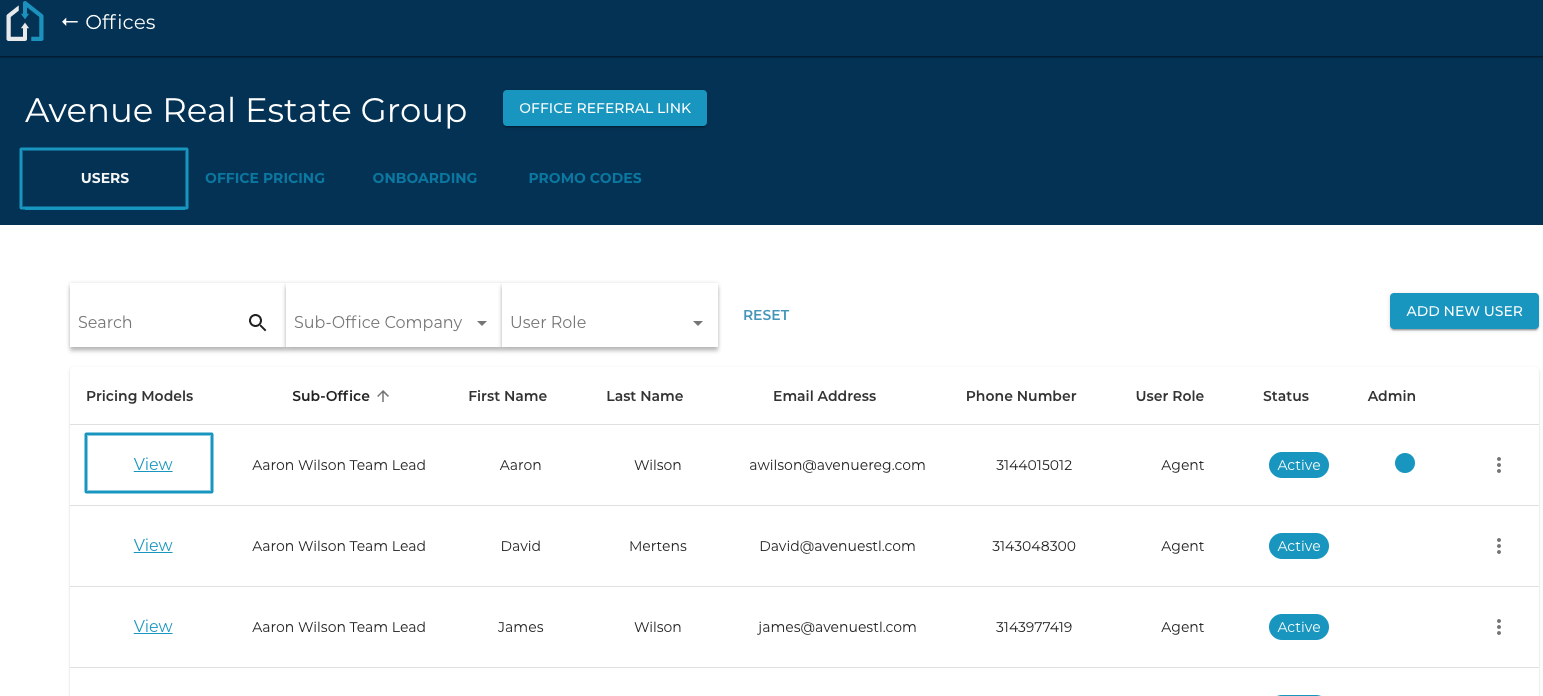
Choose the Users Tab and click the “View" link under the Pricing Models column.
3. Select a listing and transaction coordination Pricing Model.
Click "Update" once you have chosen the appropriate Listing and Transaction Coordination Pricing Models.
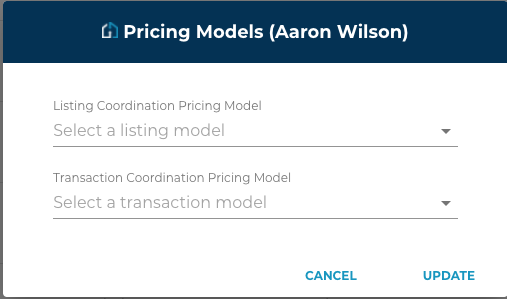
Once updated, you have applied the pricing models and will display when clicking on "View".